Where collective
work happens.
Ocara brings clarity to how engineering teams plan, track and deliver, so nothing falls through the cracks.
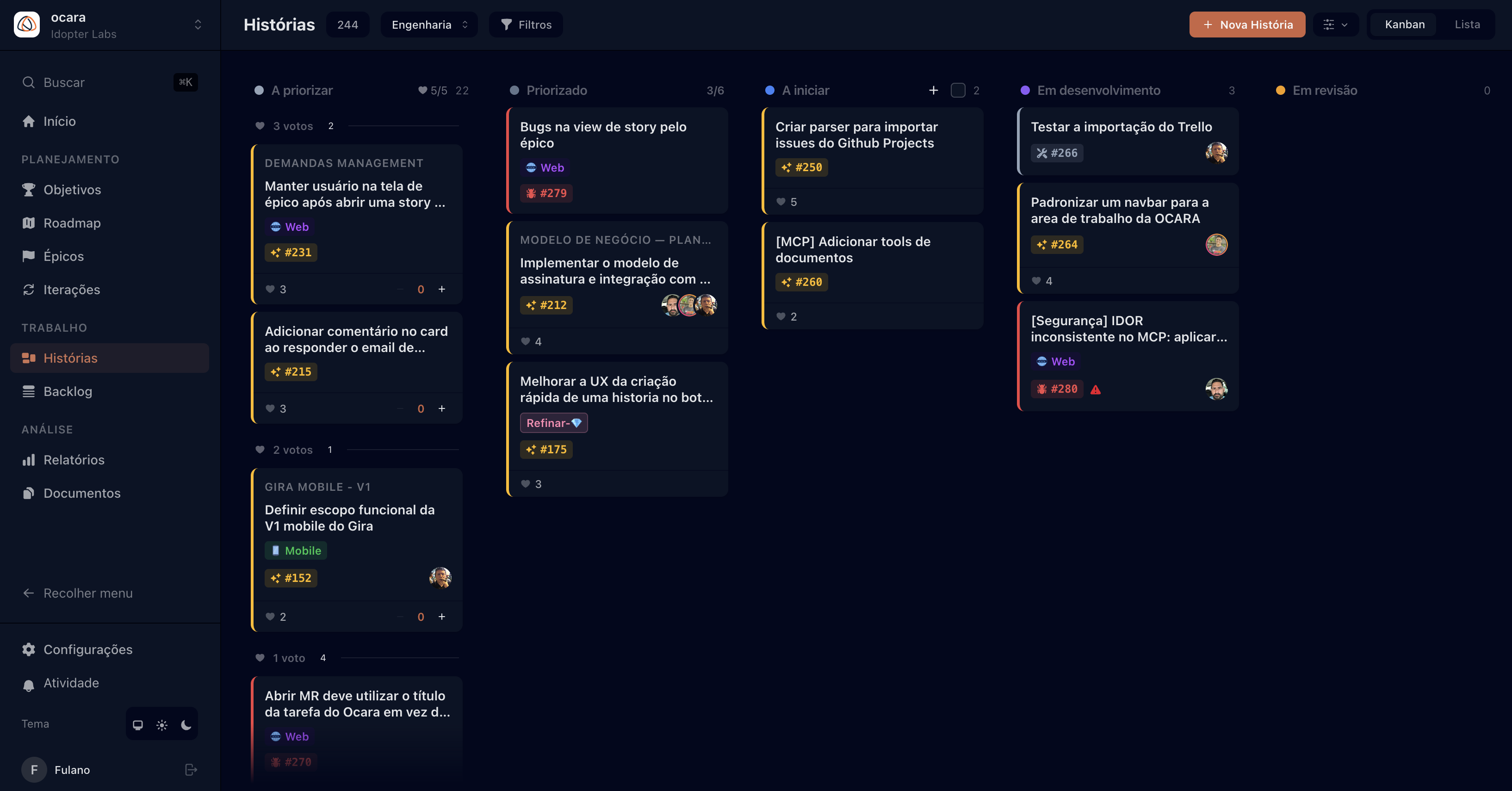
Ocara brings clarity to how engineering teams plan, track and deliver, so nothing falls through the cracks.
In Tupi, ocara is the shared communal space: the square at the center of the village where everyone meets, shares and creates together.
That is why we named it that. The ocara is where your team aligns, plans and delivers, with no fragmentation, no noise, no guesswork.
From a single story to a multi-team roadmap: one place where work is visible, organized and moving.
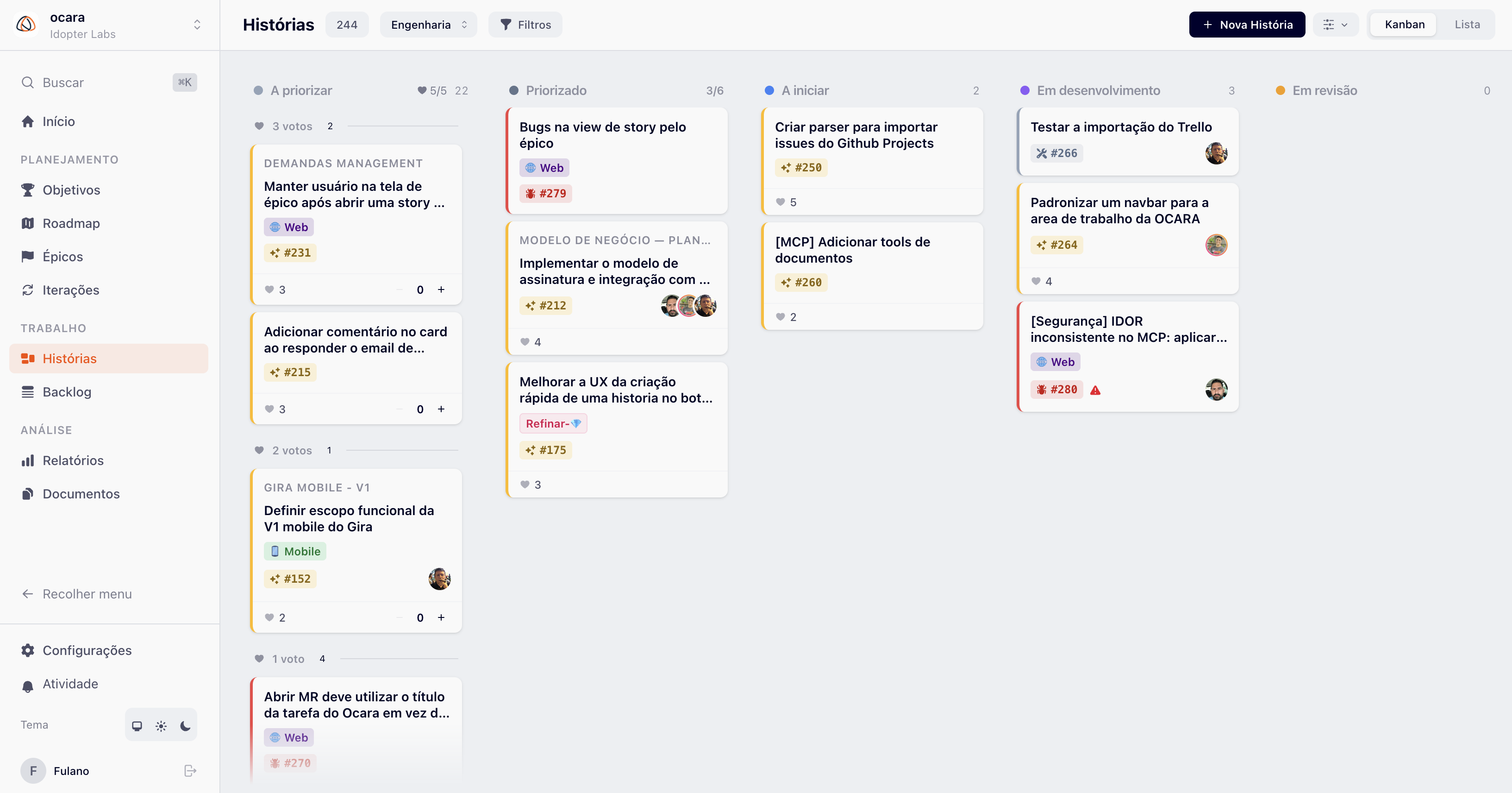
Drag, drop, ship. Configurable columns with stable ordering and live updates for the whole team.
Sprint planning with velocity and burndown tracking. Know what will ship and when.
Velocity, cycle time, cumulative flow and burndown. Data for better retrospectives and more accurate commitments.
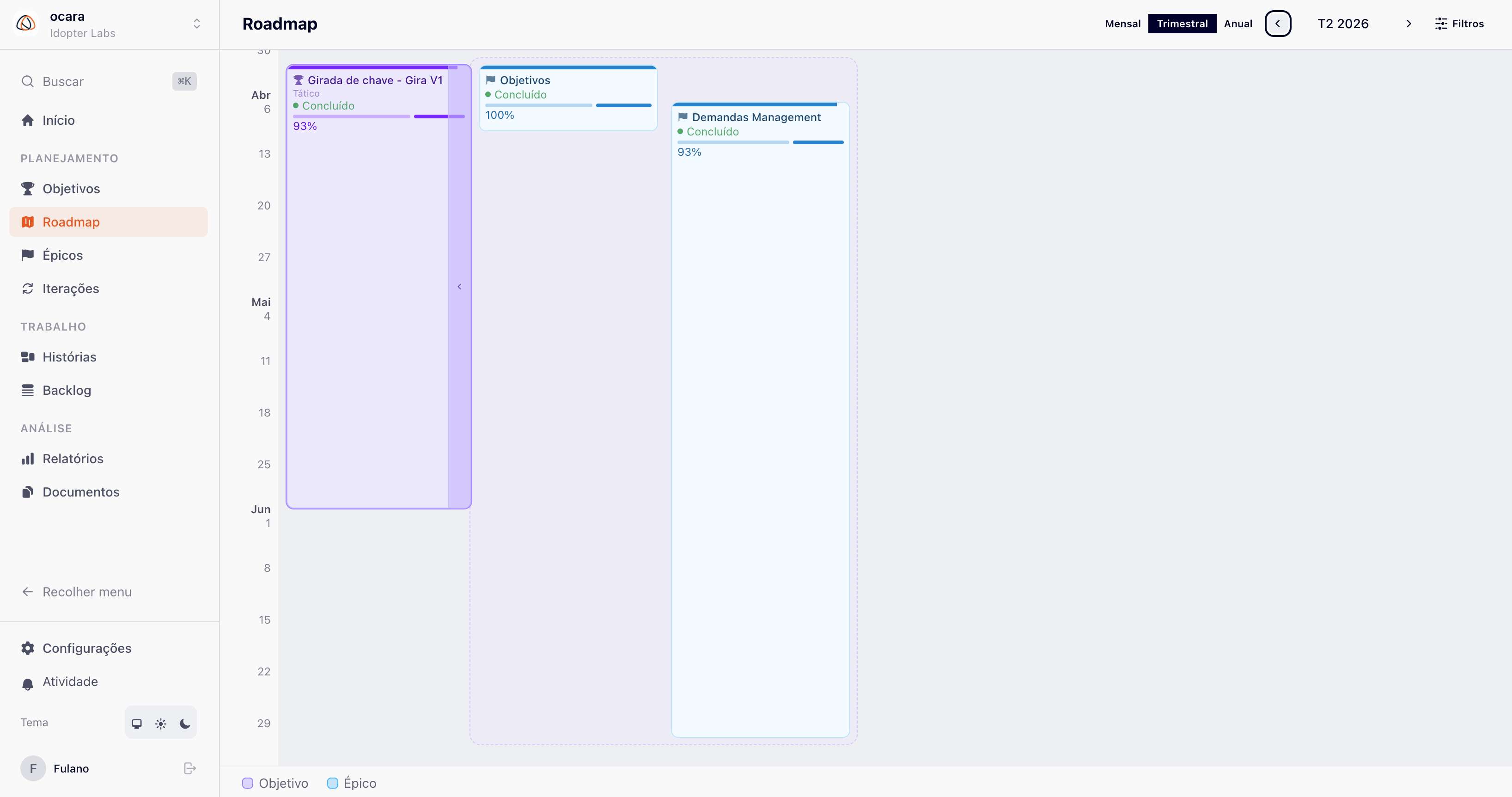
Group stories into epics. See progress on a monthly, quarterly or yearly timeline.
Add the metadata that matters to your team. Fields per workspace, in the format you need.
Every change is visible to the whole team immediately. No refreshing, no stale data.
Kanban boards with drag and drop, configurable workflow columns and real-time updates. Set up the states that reflect how your team actually works, not the other way around.
Set up an AI agent linked to a workflow column and let it act on its own on every card that lands there. For outside agents, ocara has a native MCP server: connect Claude, Cursor or any MCP client directly to your workspace.
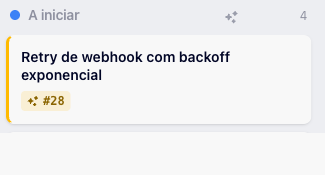
1. Card enters the column
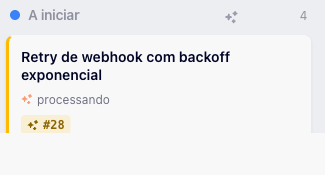
2. Agent processing
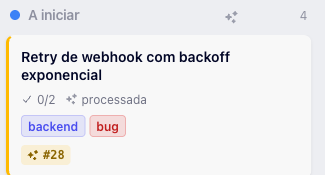
3. Skill applied (description, labels, checklists)
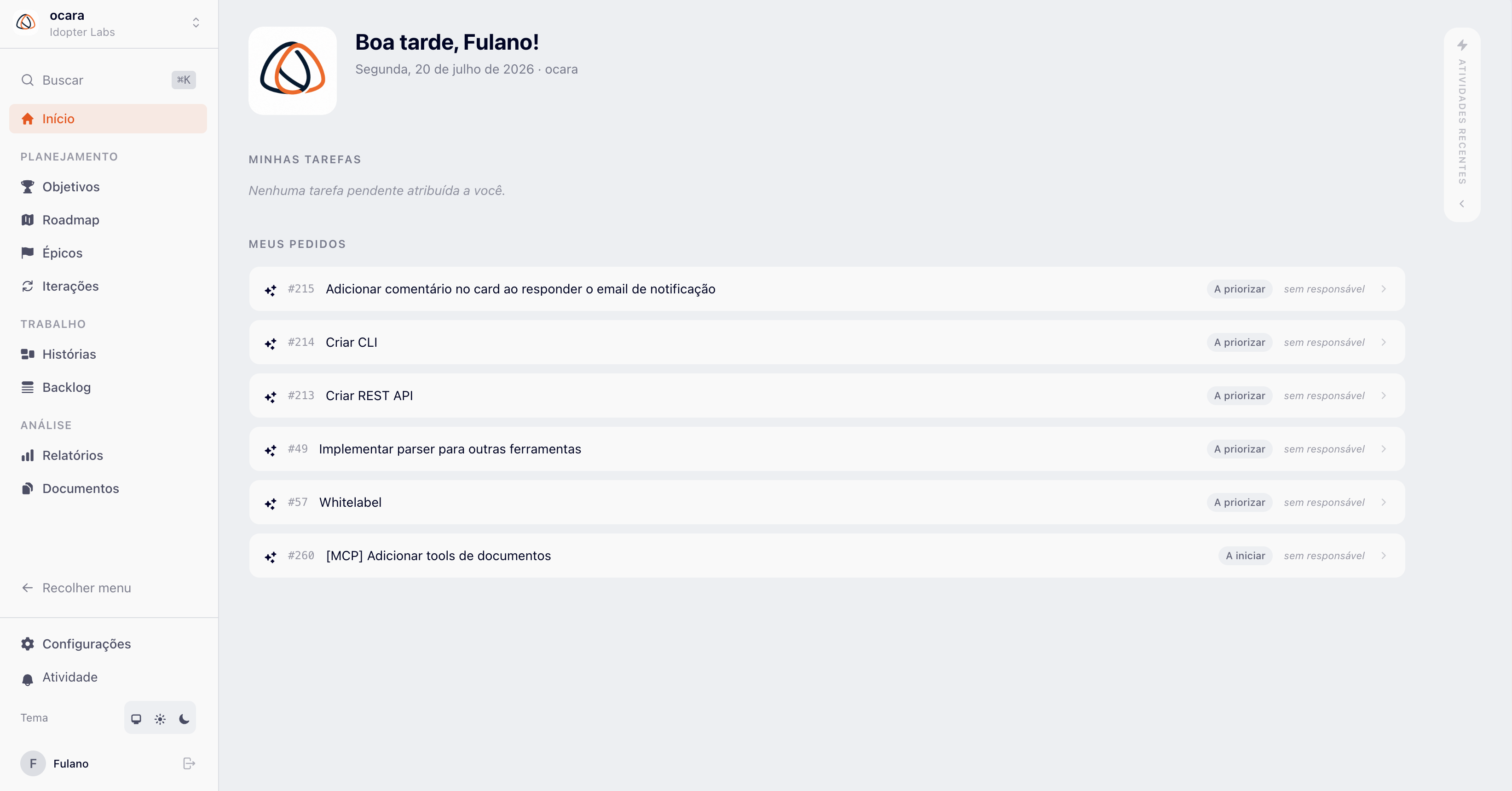
A centralized dashboard with your tasks, requests and the workspace activity feed. Everyone on the same page, with no need to ask what is going on.
See objectives and epics on a timeline. See what is in progress, what is done and what comes next, all on a single screen, no spreadsheets.
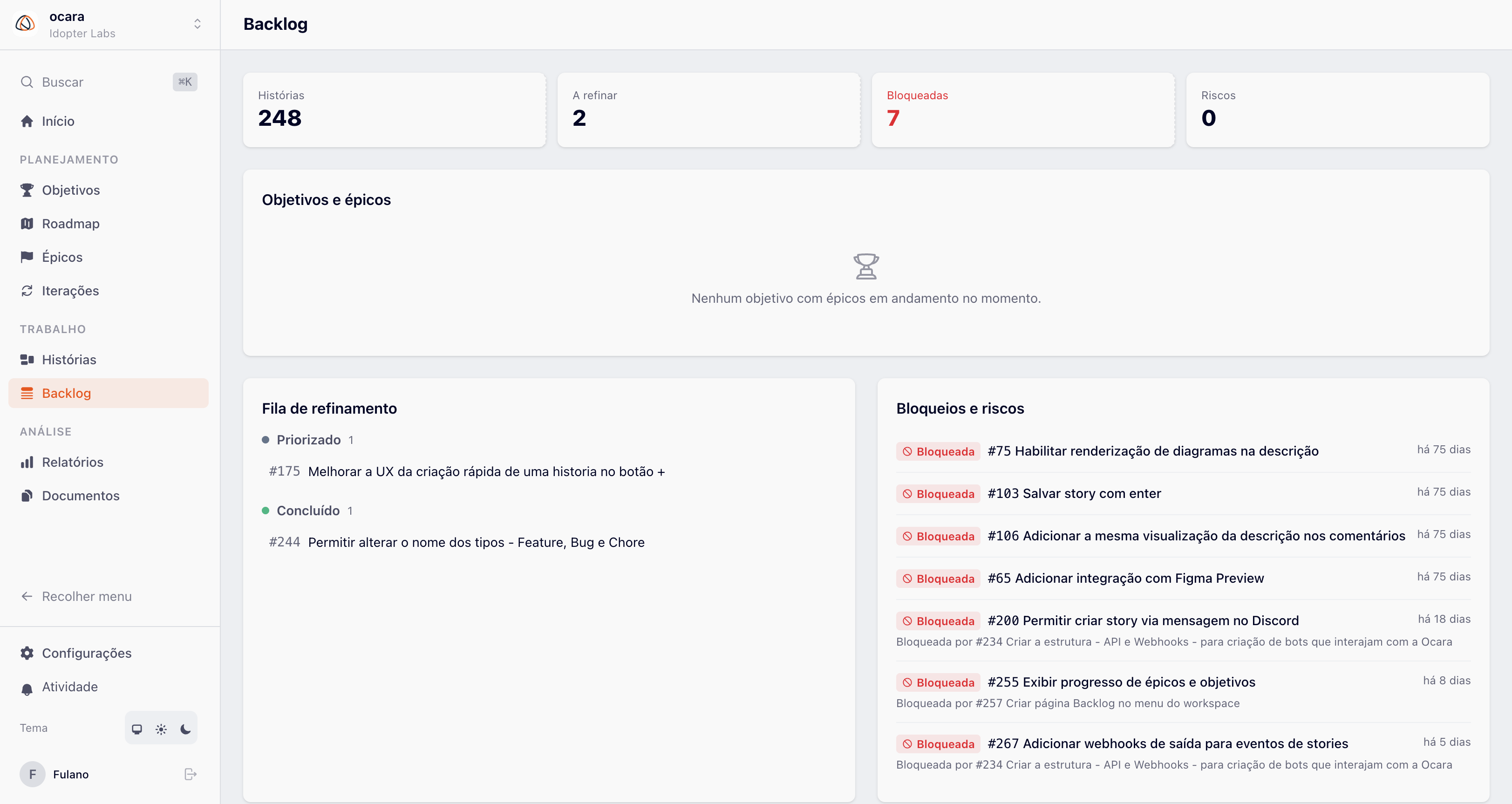
See what is blocking delivery before it turns into a delay: health indicators, blockers and risks sorted by time stalled, and a refinement queue that shows exactly what to prioritize next.
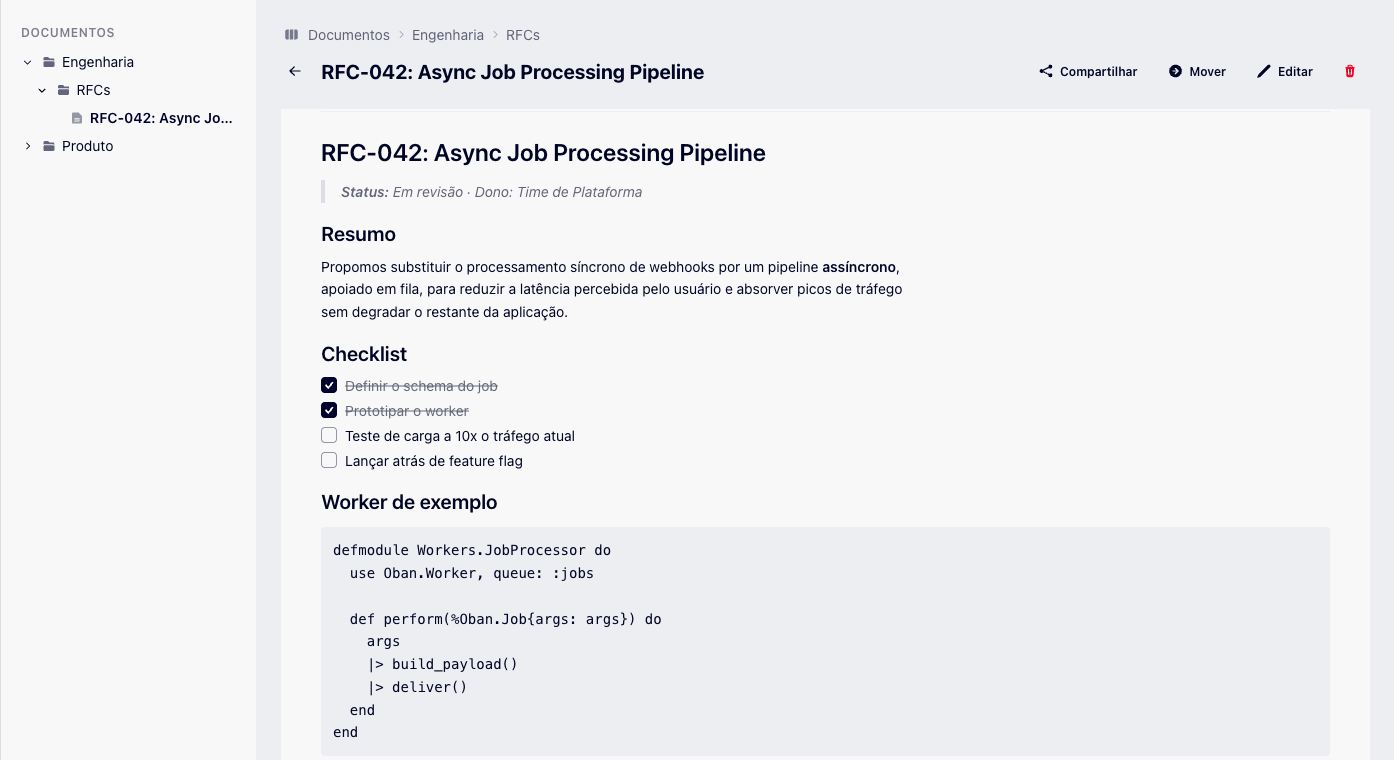
Rich Markdown editor, organized in folders with subfolders of unlimited depth. Share a document with people who do not have an Ocara account through a public link, with an optional PIN, and follow every edit in the version history.
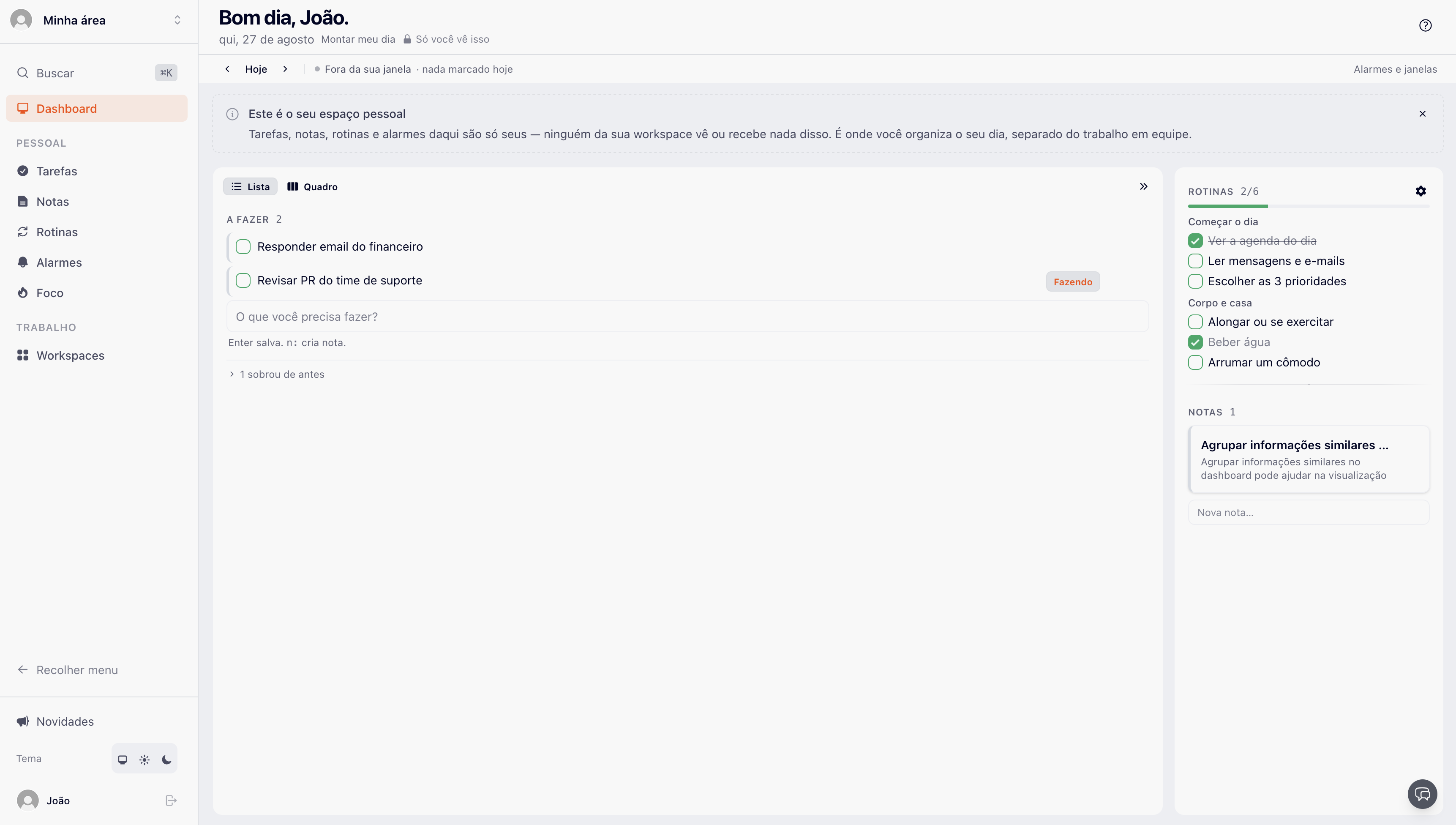
The home page is now My Day: your personal space, outside any workspace, to organize what depends only on you. You can mix "review the MR" with "walk the dog" — and link your tasks to your teams' stories and epics whenever it makes sense.
Ocara is a project management platform for software engineering teams. Its optional Google Tasks integration syncs a user's personal tasks between Ocara and Google Tasks, only for the list the user selects. Ocara does not use Google user data for advertising, does not sell it, does not send it to AI providers, and does not use it to train AI/ML models or generate content. Ocara's use and transfer of information received from Google APIs adheres to the Google API Services User Data Policy, including the Limited Use requirements. See our Privacy Policy.
From the workspace name to custom fields, every detail is adjustable. No commitment to a rigid structure.
Connect your current stack without changing how the team works. It just adds visibility where it is needed most.
Create stories by sending an email to a dedicated workspace address, or by turning any Discord message into a story from the "Apps › Create story in Ocara" menu — the form opens already filled in.
Native MCP server with 29 tools — stories, epics, documents, checklists, comments and relationships — and AI agents that act on their own on the board.
Link stories to GitHub commits, branches and pull requests. Merged PRs move stories automatically on the kanban. Zero manual work.
Public REST API for automations and external bots. Create, update and query stories programmatically, in addition to the native MCP.
Receive story events (creation, state change, archiving) in real time, with signed delivery and automatic redelivery on failures.
Link stories to GitLab commits, branches and merge requests. Merged MRs move stories automatically on the kanban, with no manual work.
Billed in Brazilian reais (R$), no dollar conversion. Start free and move to Business when your team grows.
For small teams getting started
Includes up to 3 users · + R$39/mo per additional user
| Feature | Free | Business |
|---|---|---|
| Limits | ||
| Members | Up to 3 | Unlimited |
| Workspaces | 1 | Unlimited |
| Workflows | 1 | Unlimited |
| Board and basic planning | ||
| Kanban board | Included | Included |
| Stories | Included | Included |
| Epics | Included | Included |
| Reports | Included | Included |
| Advanced planning | ||
| Backlog | Not included | Included |
| Objectives | Not included | Included |
| Roadmap | Not included | Included |
| Iterations | Not included | Included |
| Collaboration and data | ||
| Documents | Not included | Included |
| Custom fields | Not included | Included |
| Teams | Not included | Included |
| My Day (personal space) | Included | Included |
| Automation and integrations | ||
| AI agents on the board | Up to 10 runs/month | No plan cap |
| Integrations | Not included | Included |
| REST API | Not included | Included |
| MCP server | Not included | Included |
Monthly prices, in Brazilian reais. Real time, story voting, story templates and data import are available on both plans. AI runs use your own credential (Anthropic, OpenAI or Gemini).
No approval, no waiting. Create your account and start organizing your team's work today.
No credit card. 30 days of Business free.

Replace fragmented tools with one place where work is visible and coordination comes naturally.